Elementor Pro is an extension of the free plugin, Elementor Core. If you don’t already have Elementor Core downloaded see for Install and activate Elementor Core instructions before adding Elementor Pro to your WordPress site.
This article will take you through the process of:
- Downloading the Elementor Pro plugin.
- Uploading Elementor Pro to WordPress.
- Activating Elementor Pro.
https://youtube.com/watch?v=MWXeP_Tq2jE%3Ffeature%3Doembed%26enablejsapi%3D1%26origin%3Dhttps%253A%252F%252Felementor.com
Download the Elementor Pro Plugin
- Purchase Elementor Pro
After purchasing Elementor Pro, you are taken to a page where you can download the Elementor Pro plugin. You also receive an email with a link to download Elementor Pro. In addition, you can download Elementor Pro from your My Elementor dashboard as follows. - After purchasing Elementor Pro, go to your My Elementor dashboard.
- Login with your username and password.
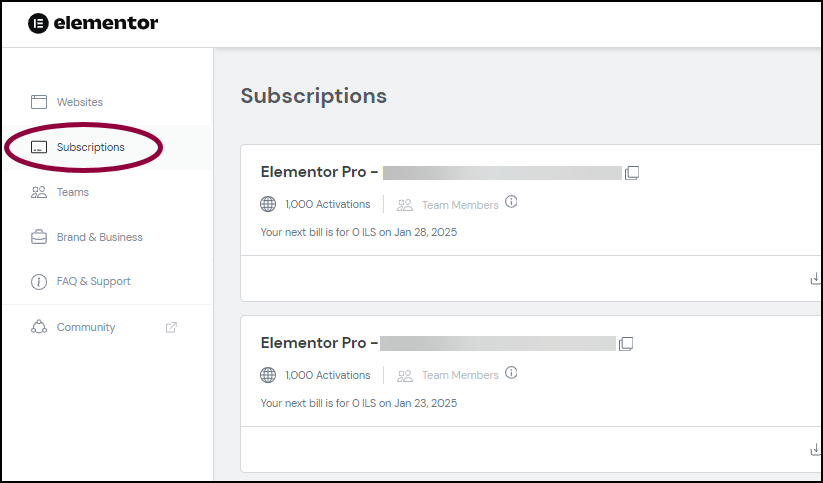
- Click the Subscription tab.
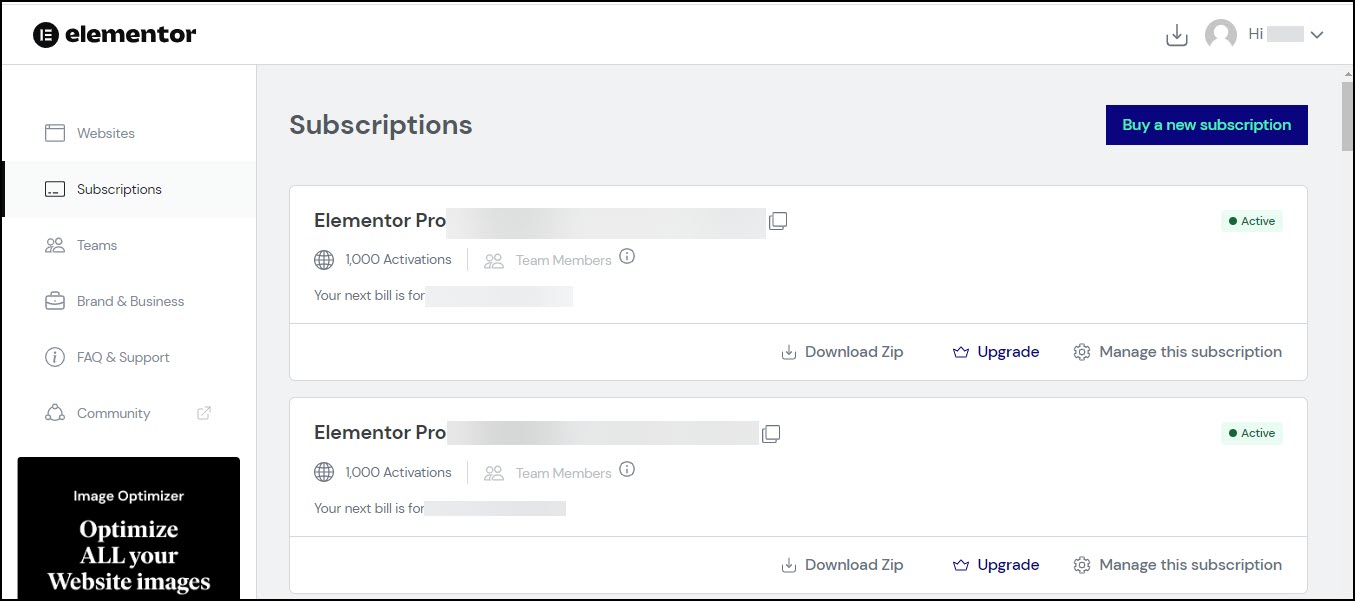
- Click the Download Plugin button in the upper right corner.

The Elementor Pro zip file is downloaded to your desktop.
Upload and activate the Elementor Plugin
Install & activate Elementor Pro
Last Update: February 28, 2024
Elementor Pro is an extension of the free plugin, Elementor Core. If you don’t already have Elementor Core downloaded see Install and r Pro to your WordPress site.
This article will take you through the process of:
- Downloading the Elementor Pro plugin.
- Uploading Elementor Pro to WordPress.
- Activating Elementor Pro.
https://youtube.com/watch?v=MWXeP_Tq2jE%3Ffeature%3Doembed%26enablejsapi%3D1%26origin%3Dhttps%253A%252F%252Felementor.com
Download the Elementor Pro Plugin
- Purchase Elementor Pro.
After purchasing Elementor Pro, you are taken to a page where you can download the Elementor Pro plugin. You also receive an email with a link to download Elementor Pro. In addition, you can download Elementor Pro from your My Elementor dashboard as follows. - After purchasing Elementor Pro, go to your My Elementor dashboard.
- Login with your username and password.
- Click the Subscription tab.
- Click the Download Plugin button in the upper right corner.
The Elementor Pro zip file is downloaded to your desktop.
Upload and activate the Elementor Plugin
- Navigate to WP Admin.
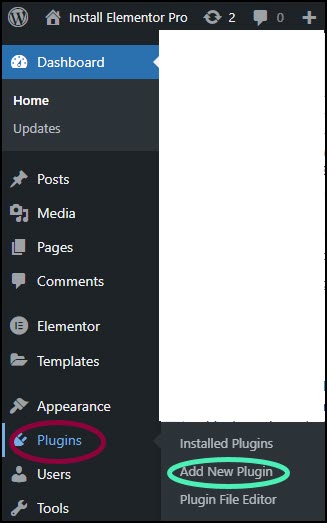
- Navigate to Plugins>Add New Plugin.
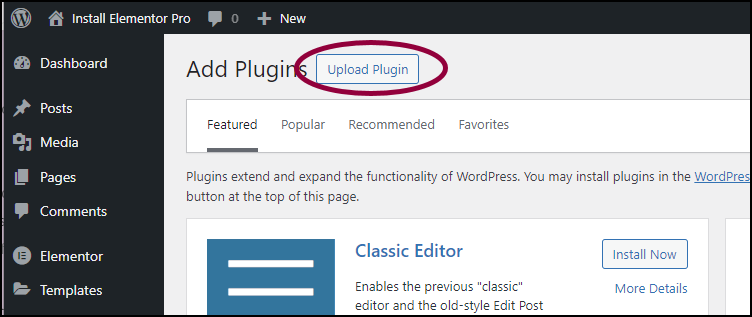
- Click the Upload Plugin button at the top of the page.
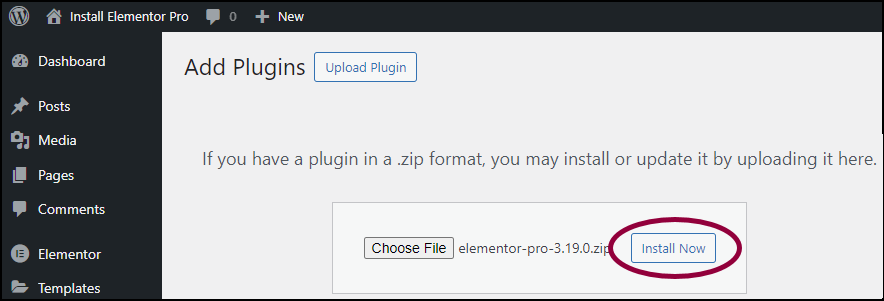
- Choose the Elementor Pro zip file you downloaded and and click Install No